




How To Design Your Own Desk Calendar
 Aug 03, 2026|
A desk calendar is a practical gift for business clients. It sits on a desk for a full year, showing your brand every single day. A well-designed calendar builds trust and keeps you top of mind. Here is how to design one for your business.
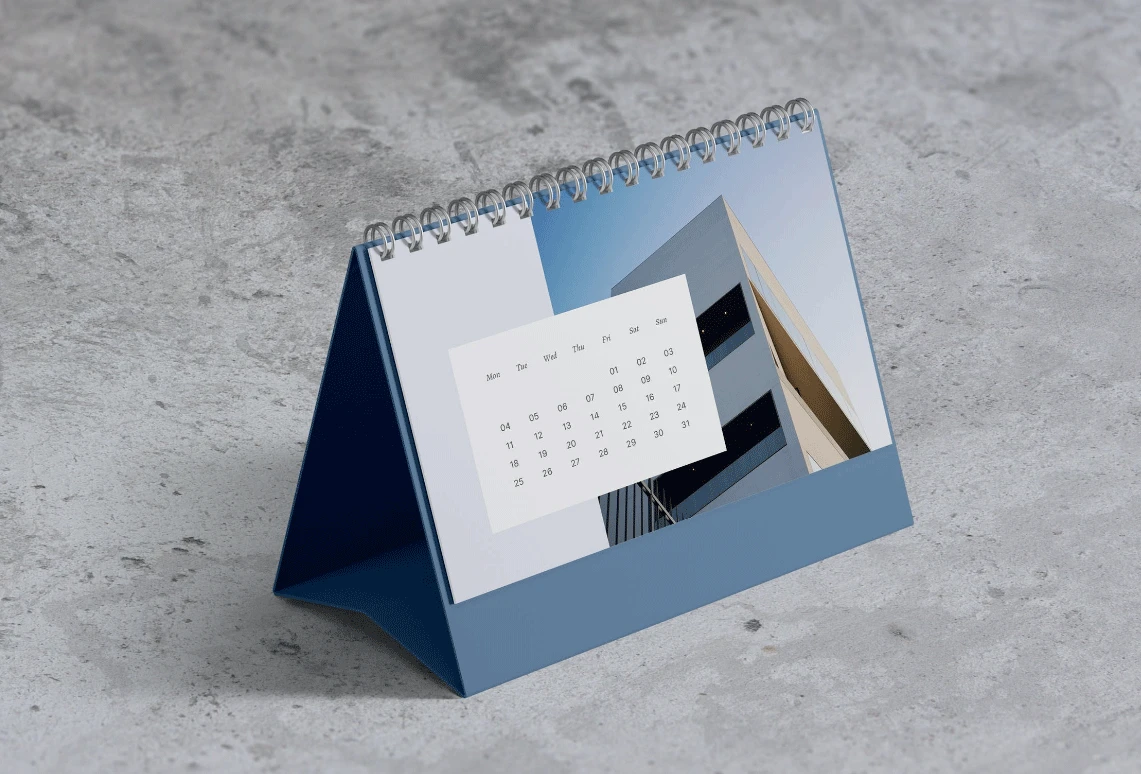
Step 1: Confirm the size.
Size matters for business calendars. Most companies choose a medium size, like 5 inches wide by 7 inches tall. This size fits any desk without taking too much space. It is also easy and cheap to mail.
A larger size, like 6 by 8 inches, gives more room for your logo and message, but costs more to print and ship. A smaller size, like 4 by 6 inches, is cute and portable, but leaves less space for your brand.
Think about your client's desk. Most desks are crowded with computers and papers. A medium size is safe and professional. Also consider the base-the stand that holds the calendar up. Pick a size that is practical and looks solid.
Step 2: Confirm the page count.
Page count affects cost and appearance. For business calendars, you have two main options:
- 13 sheets – Each sheet has a picture on one side and a calendar grid on the other. The picture side can show your products, team, or office. This option is great for brand storytelling, with a different image for each month.
- 7 sheets – These show dates only, with no pictures. They are simpler, cheaper, and good for clients who just need a functional calendar. They are also easier to produce in large quantities.
Which option should you pick? It depends on your budget and goal. If you want to show your brand's personality, choose 13 sheets. If you want a clean, no-fuss gift, choose 7 sheets. Some companies use 13 sheets for top clients and 7 sheets for bulk mailing-a smart strategy.
Step 3: Choose your material.
Material choice sends a message about your brand. Cheap paper feels flimsy and makes your company look careless. Good paper feels solid and makes your brand look reliable.
For business calendars, the cover must be thick-at least 250 gsm. This feels sturdy and protects the inside pages. Inside pages can be slightly thinner, around 200 gsm, to keep the calendar light enough to stand.
For the finish, consider your client's office:
- Glossy paper looks shiny and colorful, good for product photos, but can glare under office lights.
- Matte paper looks soft, elegant, and easy to read. It feels more professional and is often the safer choice for B2B calendars.
Use strong cardboard or plastic for the base-it must not bend or break over a full year. A metal spiral binding is also a good choice, letting clients flip pages easily while looking durable.
Step 4: Place your brand front and center.
This is the most important step for business use. Your brand must be visible on every page.
- Cover: Put your logo on the top or center-big enough to see from a distance. Do not hide it in a corner. Place your company name below the logo in a clean, readable font, and add your tagline if you have one (e.g., "Reliable Printing Since 2010").
- Inside pages: Place your logo in a consistent spot-the bottom right corner works well. It is visible but does not distract from the dates.
- Back page or near binding: Add your website, phone number, and social media handles.
This calendar stays on your client's desk for 365 days. Every time they check a date, they see your brand-powerful advertising.
Step 5: Use professional images.
If you choose the 13-sheet option, you need images that represent your company. Do not use blurry photos or random internet pictures-they hurt your brand. Use high-quality images of your own products, team, or projects.
Examples:
- A printing company can show beautiful printed books or business cards.
- A real estate firm can show their best properties.
- A restaurant can feature signature dishes.
Each month can tell a different story: January shows your team, February your office, March a happy client. This makes the calendar personal and interesting while reminding clients what you do. If you lack good photos, hire a professional photographer-it is worth the investment.
Step 6: Keep the calendar grid clean and functional.
Business clients use the calendar for planning meetings, deadlines, and appointments. The grid must be easy to read-numbers big enough and spaces wide enough for writing notes.
Do not over-decorate the grid. Keep it simple:
- Use one dark color for numbers.
- Use a lighter color for weekends.
- Use one different color for holidays.
- Do not use more than three colors total-too many look busy and unprofessional.
Place the month name clearly on top and label the days of the week. Decide whether to start the week on Monday or Sunday, based on your clients' preferences. Also include major holidays to help them plan ahead. A clean, functional grid is what business users really need.
Step 7: Add useful business information.
A business calendar can do more than show dates. Add helpful information on the back pages, such as:
- Office locations
- Main phone numbers and email addresses
- Social media handles
- A map to your office
- Key services or product list
- A QR code linking to your website or a special offer
This turns the calendar into a handy reference tool. Clients will keep it not just for the dates, but also for the information-making your calendar more valuable and giving you more chances to be remembered. Keep the layout clean and easy to scan.
you more chances to be remembered. Keep the layout clean and easy to scan.
Step 8: Work with a reliable printer.
This final step is crucial. Your design is only as good as the printer who makes it. A reliable printer checks your files, catches mistakes, suggests better materials and finishes, and delivers on time and within budget.
For B2B orders, timing is especially important-you often need calendars before the new year. A good printer meets that deadline, communicates clearly, and sends you a proof sample for approval before printing the full order. This prevents costly errors. Good customer service also matters-they answer questions and solve problems quickly, giving you peace of mind.
All these steps work together for a great result.
A well-designed desk calendar is a powerful business tool-it shows your brand daily, keeps your clients organized, and builds lasting relationships. It is not just a gift; it is a year-long advertisement on your client's desk.
For high-quality, reliable B2B printing with on-time delivery, trust Shanghai Yucai Printing Company to make your calendars stand out.
FAQ
Q1: Can I use a different paper weight for the cover and the inside pages?
Yes. Use thicker cover stock (250–300 gsm) for durability, and thinner inside pages (180–200 gsm) to save cost and keep the calendar light enough to stand.
Q2: How do I choose the right font size for the calendar grid?
Use 10–14pt for date numbers, 18–22pt for month names, and 9–12pt for weekdays. Always test on a printed sample-screen views can be deceiving.
Q3: What is the best binding method for a desk calendar that gets heavy daily use?
Metal spiral binding. It lies flat, flips smoothly, folds back easily, and stays durable. Plastic spirals are lighter but less sturdy. Avoid saddle stitching for daily use.
Q4: How far in advance should I order my custom desk calendars?
Order 8–12 weeks before the new year. Allow time for design, proofing, printing (2–4 weeks), and shipping. Plan in September–October to ensure December delivery.