




The 2026 Catalog Printing Blueprint: From Design To Delivery
 Jun 01, 2026|
Catalogs are still very important for businesses. People like to flip through printed pages. They enjoy seeing products in a physical format. A good catalog can help you sell more. This guide will show you how to plan and print a great catalog. You will learn about design, paper, binding, and more. Let us get started.
1. Know Your Catalog Type First
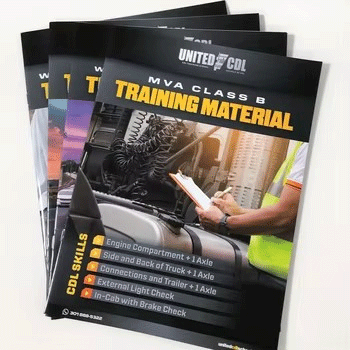
Not all catalogs are the same. You need to pick the right type for your business. A product catalog shows many items in one place. It works well for stores with lots of inventory. A lookbook focuses on style and inspiration. Fashion and home decor brands love lookbooks. A brochure is shorter and simpler. It highlights a few key products or services. Think about your goal before you start. Are you showing everything you sell? Or are you telling a story about your brand? Your answer will guide all your other choices. For businesses that want unique designs, custom catalog printing gives you full control over every detail.
2. Plan Your Pages Before You Design
Planning saves you time and money. Start by listing every product you want to show. Group similar items together on the same pages. Put your best sellers near the front. People often judge a catalog in the first few pages. So lead with your strongest products. Decide how many pages you need. A thin catalog with 8 to 16 pages works well for a simple brochure. A thick catalog with 32 to 64 pages feels more substantial. A large catalog with over 80 pages is like a small book. Each page count changes the printing cost. So plan carefully. If you only need a small number of copies, short run catalog printing is a smart choice. You can print 50 or 100 copies without paying for a large batch.
3. Design for Easy Reading
A clean design makes your catalog easy to use. Put one product per section when possible. Use clear headings for each product category. Write short descriptions that tell customers what they need to know. Price, size, color, and material are the basics. Do not use tiny fonts. Older customers will struggle to read small text. Leave white space around your products. White space makes the page look clean. It also helps each product stand out. A crowded page confuses people. A clean page sells better. A catalog with many pages is a form of multi page document printing. You need to keep the design consistent across every single page.
4. Use High Quality Images
Photos are the most important part of a catalog. A bad photo makes a good product look cheap. A good photo makes a simple product look valuable. Use professional photography when you can. Make sure every image is sharp and bright. The standard resolution for printing is 300 DPI. Low resolution images will look blurry on paper. Show products from different angles when that helps. For clothing, show the front and back. For tools, show close ups of important parts. Good images build trust with your customers. Professional catalog printing services can help you check your image quality before you print.
5. Pick the Right Paper for Your Catalog
Paper choice changes how your catalog feels. Thin paper feels cheap. Thick paper feels premium. Most catalogs use coated paper for the inside pages. Coated paper makes colors look bright and sharp. It also resists dirt and fingerprints. Uncoated paper has a natural feel. It works well for a rustic or eco friendly brand. For the cover, use a thicker paper. A cover weight of 250gsm to 300gsm is standard. You can also add a coating to the cover. A gloss coating makes colors pop. A matte coating feels soft to touch. Your paper choice should match your brand image. The catalog printing cost changes based on the paper you pick. Thicker and fancier paper costs more.
6. Choose a Binding That Fits Your Needs
Binding holds your catalog together. Different binding methods work for different page counts. Saddle stitching uses staples in the middle of the pages. This works for thin catalogs with 8 to 48 pages. It is cheap and fast. Perfect binding uses glue to hold the pages. This works for catalogs with 48 to 120 pages. It gives you a clean, square spine. You can put text on the spine. That looks nice on a shelf. Spiral binding uses metal or plastic wires. The catalog can lay completely flat. This is great for workbooks or reference guides. Pick the binding that fits your page count and how people will use the catalog.
7. Add Finishing Touches for a Premium Feel
Small details make a big difference. You can add special finishes to your cover. Foil stamping puts shiny metal text on the cover. Gold and silver are popular choices. Embossing raises the design up from the paper. It adds a nice texture you can feel. Spot UV adds a shiny layer to a specific area. This makes your logo or a product image stand out. These finishes cost extra. But they make your catalog feel more valuable. Use one or two finishes at most. Too many looks busy and costs too much. A modern catalog printing machine can apply these finishes with high precision and speed.
8. Think About Quantity and Budget
Printing more catalogs lowers the price per copy. But you should not print more than you need. A small batch of 100 to 500 catalogs is good for testing. You can give them to your best customers. You can use them at trade shows. If the catalog works well, print a larger batch next time. A medium batch of 1,000 to 3,000 catalogs gives you a better price per copy. A large batch of 5,000 or more is for businesses with a big mailing list. Start small if you are not sure. You can always print more later. Choosing the right catalog printing supplier helps you get good quality at a fair price.
9. Digital Printing vs Offset Printing
You have two main printing methods. Digital printing works best for small orders. You can print 100 catalogs at a fair price. The setup cost is low. You can also change content between copies. This is called variable data printing. Offset printing works best for large orders. You need 1,000 or more to make it worth it. The setup cost is high. But the price per catalog drops very low. For most small and medium businesses, digital printing is the better choice. It gives you flexibility and lower risk.
10. Work With a Printer Who Communicates Well
A good printer is your partner. They should answer your questions clearly. They should warn you about potential problems. They should check your files before printing. Ask for a physical proof before you run a large order. A proof is a real copy of your catalog. You can hold it in your hands. You can check the colors and the paper. You can feel the cover and the binding. Fix any issues on the proof. Then approve it for production. A good printer makes this process easy. A bad printer causes headaches.
A Word From Shanghai Yucai Printing Company
Looking for a trusted partner for your catalog printing? Shanghai Yucai Printing Company is here to help. We specialize in high quality catalog printing for businesses of all sizes. We offer many paper options, including coated and uncoated paper. You can choose from saddle stitching, perfect binding, or spiral binding. We also offer premium finishes like foil stamping, embossing, and spot UV. Our team helps you pick the right options for your brand and your budget. We do both digital and offset printing. So no matter your quantity, we have a solution for you. Need a sample first? We can print one copy for you to review. Contact Shanghai Yucai Printing today. Get a free quote and bring your catalog to life.
FAQ
FAQ 1: Do you have a minimum order quantity for catalog printing?
No, we do not have a minimum order quantity. You can order as few as 10 catalogs. However, the more you order, the lower the price per catalog becomes. Larger orders give you better value. We encourage you to order more and save more.
FAQ 2: What paper do you recommend for catalog printing?
For inside pages, we recommend coated paper. It makes colors look bright and sharp. We also offer uncoated paper for a natural feel. For the cover, we recommend 250gsm to 300gsm paper with a matte or gloss coating. This protects the cover and makes it look professional. We can help you pick the best paper for your brand and budget.
FAQ 3: Can I add special finishes to my catalog cover?
Yes, you can. We offer foil stamping in gold, silver, and other colors. We offer embossing to raise your logo or text up from the paper. We also offer spot UV to add a shiny layer to specific areas. These finishes make your catalog feel more premium. They cost extra, but they are worth it for a high end look.
FAQ 4: How long does production take? How do I get a quote?
Production usually takes about 7 working days. The exact time depends on your page count, binding choice, and quantity. We will confirm the timeline when you place your order. For a quote, send us your page count, trim size, paper choice, binding type, finishing options, and quantity. We will reply within 24 hours with a clear price.
FAQ 5: Do you offer samples before I place a large order?
Yes, we do. We strongly recommend ordering a sample first. A sample is one copy of your catalog. You can hold it in your hands. You can check the colors, the paper, the cover, and the binding. If the sample looks great, then order your full batch. If it has issues, fix them and order another sample. This small step saves you from big regrets later.